

Screens 5: VNC Remote Desktop
Utilities/Productivity
36.55 MB


iPhone、iPad、iPod touch
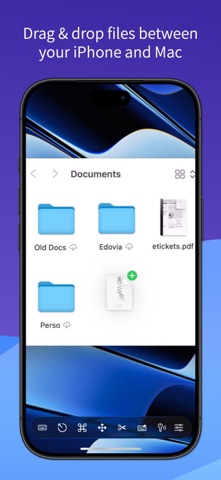
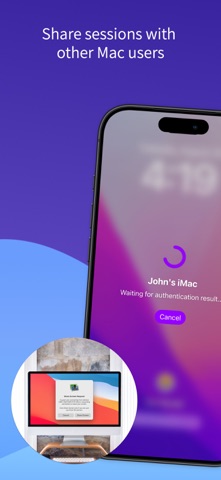
Access your computers from anywhere. Screens lets you remotely access your Mac, Windows PC, Linux PC, or Raspberry Pi from your iPhone or iPad. Whether you’re connecting to a remote workstation, a headless Mac mini, or helping friends and family, Screens delivers fast, secure, and reliable remote desktop access wherever you are. REMOTE ACCESS FROM ANYWHERE Remote access is built right into Screens on Mac. For older Macs and Windows PCs, install Screens Connect to easily set up remote access over the internet. Need to connect to Linux or Raspberry Pi? Screens also integrates with Tailscale for secure, hassle-free connections. HIGH PERFORMANCE SCREEN SHARING Experience a new level of remote desktop access on compatible Macs with Apple’s High Performance Screen Sharing technology. • Dynamic desktop resizing that adapts to your iPhone or iPad’s display • Fixed or custom desktop resolutions • Private virtual desktops • Smoother HEVC video streaming with remote audio • Display Privacy that blanks the remote Mac’s physical displays • Built-in connection encryption without requiring SSH High Performance requires a remote Mac with Apple silicon running macOS 14 Sonoma or later. Smooth video and audio streaming also require a fast, stable connection with low latency. FAST, SECURE REMOTE DESKTOP ACCESS Screens is optimized for responsive remote control with support for: • Curtain Mode and Display Privacy for private remote sessions on Mac • SSH connections and SSH keys • Secure password storage and quick logins • Observe or control remote computers • Adaptive and Full display quality BUILT FOR MODERN REMOTE WORKFLOWS Use Screens to: • Access remote Macs, PCs, Linux systems, and Raspberry Pi devices • Connect to headless Mac mini setups and remote workstations • Monitor long-running tasks from anywhere • Help friends, family, or coworkers remotely • Access your computers while traveling or away from home DO MORE WITH SCREENS Take advantage of powerful system features across iPhone and iPad: • Connect using Siri, Shortcuts, and Spotlight • Quickly connect to saved computers from widgets • Use external keyboards, mice, and trackpads • Use Apple Pencil on iPad • Display your remote computer on an external display with AirPlay POWERFUL FEATURES • Multi-display support • Clipboard sharing • File transfer between iPhone or iPad and Mac • Customizable connection settings for individual computers • Dictation support for remote text input • Session selection on Mac • iCloud synchronization • Full URL Schemes support • Touch ID, Face ID, Apple Watch, and password protection COMPATIBILITY • Connect from iPhone and iPad to Mac, Windows PC, Linux PC, and Raspberry Pi • High Performance requires an Apple silicon Mac running macOS 14 Sonoma or later • HEVC video and remote audio require a fast, stable connection and are unavailable over SSH • Screens Connect is built into Screens for Mac on macOS 14.6 or later • Standalone Screens Connect is available for Macs running macOS 10.13 or later and PCs running Windows 10 or later • Clipboard sharing on Windows and Linux supports text only • Remote audio is available with High Performance on compatible Macs; Standard Screen Sharing does not support audio • Screens does not support connections to iPhone, iPad, or Vision Pro devices Screens gives you secure, reliable access to your computers anytime, anywhere. Privacy Policy: https://screens.app/privacy Terms of Use: https://screens.app/terms
What's New
# Introducing High Performance Screen Sharing! Screens 5.10 brings one of our biggest updates yet, with a smoother, more responsive remote desktop experience on your iPhone and iPad! High Performance Screen Sharing • Dynamic Resizing: Automatically resize your remote desktop to fit your device’s display, or choose a fixed size. • Virtual Desktops: Create a private virtual desktop with customizable resolutions. • Smoother Video & Audio: Enjoy more fluid graphics, improved image quality, and sound from your remote Mac. • Display Privacy: Keep your remote session private by automatically blanking the remote Mac’s physical displays. • Built-in Encryption: High Performance connections are encrypted without requiring SSH. High Performance requires a remote Mac with Apple silicon running macOS 14 Sonoma or later. Smooth video and audio streaming also require a fast, stable connection with low latency. # Improved Performance A new Metal renderer delivers smoother, more responsive connections to Macs, Windows PCs, and Linux computers. # And More! A refreshed Liquid Glass carousel, improved floating toolbar behaviour, better cursor handling, clipboard management, improved Tailscale connectivity, and numerous bug fixes and stability improvements. # Fixed In 5.10.3 - Added a Mouse & Trackpad Pass-Through option to control whether hardware pointing devices interact with the Floating and Carousel toolbars or the remote desktop on iPad. - Fixed an authentication issue when connecting to certain Macs. - Additional bug fixes and stability improvements.
Screens 5: VNC Remote Desktop最新バージョン5.9.4 ipa
ipaバージョン 5.9.4 ·2026/11/11
Information
- Size
- 36.55 MB
- Language
- AR、NL、EN、FR、DE、IT、JA、KO、PL、PT、RU、ZH、ES、SV、ZH、TR、UK
- Provider
- Edovia Inc.
- Category
- Utilities/Productivity
- Age Rating
- 4+
- Price
- Free
- Bundle ID
- com.edovia.screens.5
- Region
- US
- Compatibility
-
iPhone
Requires iOS 17.6 or later.
iPad
Requires iPadOS 17.6 or later.
iPod touch
Requires iOS 17.6 or later.
すべてのバージョン
-
Screens 5: VNC Remote Desktop - v5.9.4
2026/10/17 22:13 · 36.55 MB · Full Access Version
Screens 5: VNC Remote Desktop-v5.9.4.ipa - ipaソフト源 - ipaソフト大全
No more versions


